
Can 'Em All Wiki & Guide
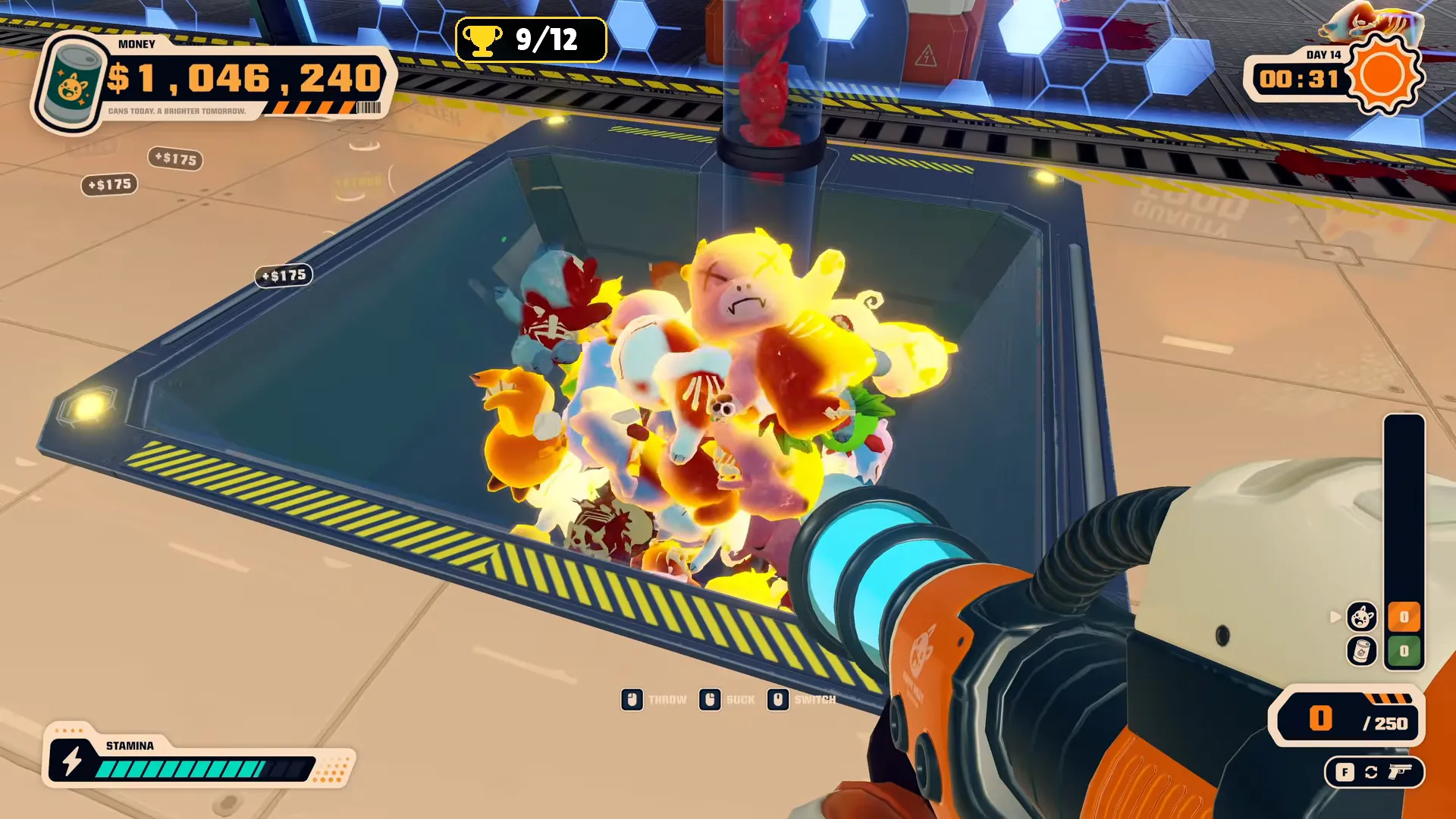
Can 'Em All is a first-person incremental game: you kill cute creatures, collect bodies, make cans, sell, and reinvest.
truck → kill → crusher → cans → tube → upgrade
Start with these priorities:
- Buy upgrades that increase cans per creature, then Premium Cans to raise each can's value.
- Buy Industrial Vacuum when collecting bodies becomes your bottleneck.
- Improve processing and conveyors before increasing deliveries you cannot handle.
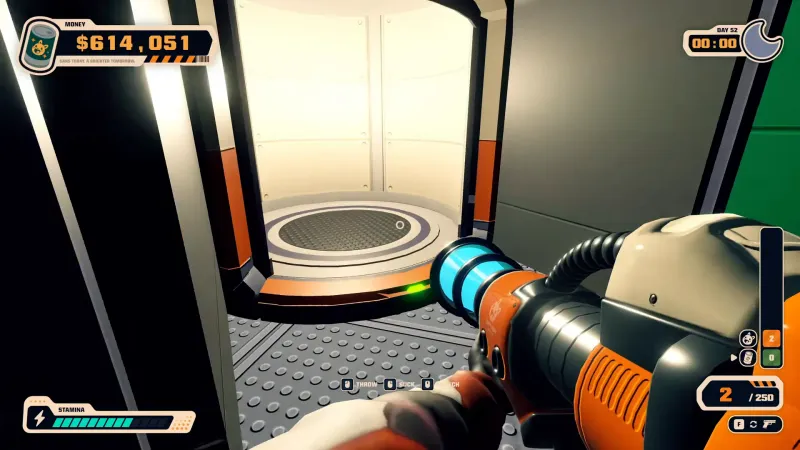
- Enter the elevator after each day to open the Upgrade Tree.
| What is slowing you down | What to buy next |
|---|---|
| Bodies pile up | Faster processing or more machines; Industrial Vacuum if collection is the problem. |
| Cans pile up | Conveyors to improve transport. |
| You cannot kill deliveries fast enough | Stronger weapons, with ammunition upgrades for guns. |
| You have spare killing and processing capacity | More creatures per delivery. |
Top Guides
Walkthrough
You progress by selling cans, expanding production, and using factory sales for permanent upgrades before the final payment. Follow the Can 'Em All walkthrough from your first sale through automation and the exit.
Unlock Casino and Sell Your Factory before finishing the ending. Afterward, the email sequence can change, leaving those unlock emails unavailable. Casino is optional and does not affect achievements.
To unlock Casino:
- Buy Bat, Knife, and Pistol; Pistol alone is not enough.
- Read Today's Special.
- Open Feeling Lucky in the Mail tab and choose Accept. The Gambling tab then opens.
Ending
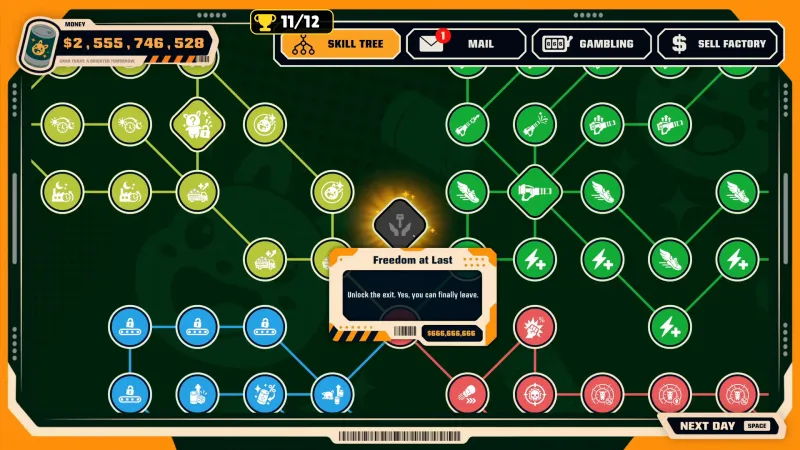
You unlock Freedom at Last after buying every regular upgrade, then pay $666,666,666 for the exit key. Go upstairs through the previously locked door, then take the elevator to finish. The Can 'Em All ending page covers the final node and departure.
Money
You earn more by increasing can value and output, then keeping processing and transport moving. You can keep selling cans after the day ends. Use the Can 'Em All money tips when production grows faster than your income.
Factory
You turn truck deliveries into income by killing creatures, processing their bodies, and sending cans into the tube. The Can 'Em All factory overview explains how each stage feeds the next.
Truck
You get more creatures per delivery through upgrades; killing enough creatures brings the truck back. If deliveries slow down after extended play, restarting or returning to the main menu can restore them. The Can 'Em All truck page covers delivery upgrades and slowdown reports.
Creatures
You unlock new Cutelings through the Upgrade Tree, with later unlocks producing more valuable cans. Shiny creatures produce Shiny cans; Smoked creatures produce double-value Smoked Cans. See Can 'Em All creatures for unlock tiers and special variants. A complete species list is still being expanded.
Crusher
You put bodies into the crusher to make cans; faster processing and extra machines help clear a backlog. Industrial Vacuum lets you gather bodies and feed them into the machine together. Use processing bodies in Can 'Em All when collection or crushing slows you down.
Tube
You sell cans by putting them into the tube. Manual carrying works early, while conveyors help when cans start piling up. See selling cans in Can 'Em All for the final step between production and payment.
Upgrades
You should buy more cans per creature and Premium Cans first, then upgrade whichever stage limits your output. The Can 'Em All upgrades overview helps you choose between production, transport, weapons, and automation.
Skill Tree
You open the Upgrade Tree through the elevator after each day. It includes weapons, ammunition, processing machines, conveyors, and turrets. Use the Can 'Em All skill tree page to plan purchases around your current bottleneck.
Sell Factory
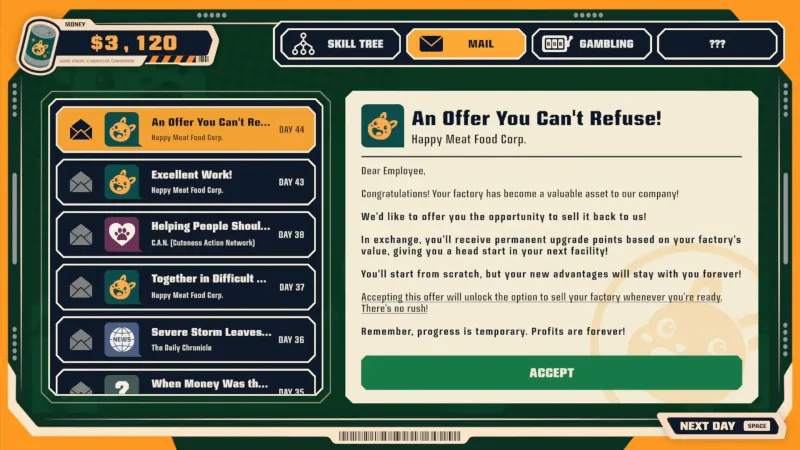
You unlock selling by accepting An Offer You Can't Refuse; buying upgrades alone does not unlock it. The email sequence is Uzi → When Money Was the Problem, then AK-47 → Excellent Work, then the offer.
Selling resets your factory and removes machines and weapons, while permanent upgrades remain. Your factory value determines the permanent points offered; you can inspect the reward before confirming. Before your first sale, feed 100,000 children: Prestige clears progress toward that achievement. The Can 'Em All sell factory page explains the reset and what you keep.
Permanent Upgrades
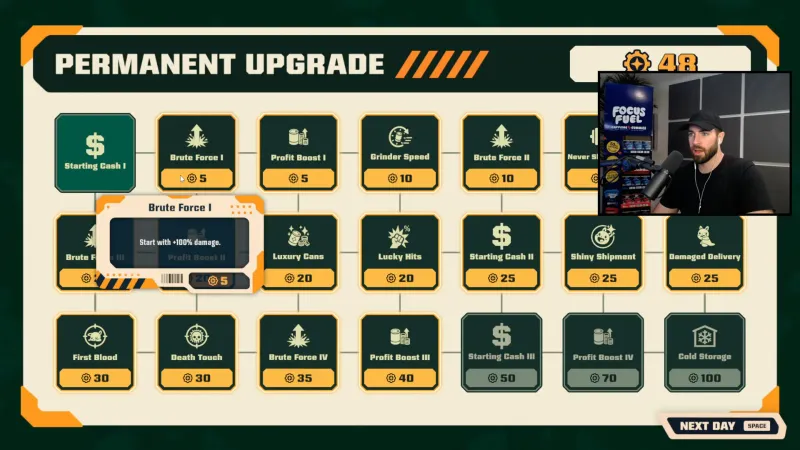
You keep permanent upgrades across factory sales, making later factories easier to build. Brute Force improves damage, Profit Boost improves earnings, and Grinder Speed improves processing. The Can 'Em All permanent upgrades page covers effects and purchase priorities.
Weapons
You can use melee weapons early without spending ammunition, then buy guns when killing speed becomes the bottleneck. Pair guns with ammunition upgrades; Automatic Turret helps when you also need to move bodies and cans. Compare Can 'Em All weapons before spending money needed for production.
Achievements
You have 12 achievements to earn: eight public and four hidden. They cover kills, feeding children, your first factory sale, permanent upgrades, and the ending. Use the Can 'Em All achievements checklist to plan your first sale and final departure.
Hidden Achievements
You unlock four hidden achievements through unusual uses of creatures, the crusher, and the tube. Spoilers: Not a Can, Fresh Meat, Special Delivery, and Human Meat reveal those interactions. Human Meat and Special Delivery end your current day. The Can 'Em All hidden achievements page gives each exact condition.
Info
You can buy Can 'Em All on Steam for Windows; it is single-player. The release date is October 30, 2026. The regular price is $6.99, with a 10% launch discount through November 7. See Can 'Em All on Steam for prices, system requirements, and platforms.
Demo
You can download the demo from the game's Steam store page. For save transfer, back up both save.sav files before replacing the full game's file with the demo's file. Transfer can work, but finding the files can be difficult. The Can 'Em All demo page explains the folders and backup steps.
Steam Deck
You can run the game on Steam Deck, though sprint controls can feel awkward. One Linux report uses Proton 10.0-3 without extra setup; official Deck compatibility remains unconfirmed. The Can 'Em All Steam Deck page covers those limits; performance and graphics settings are still being expanded.
Trainer
You can use an unofficial Windows trainer with MelonLoader for money, movement, weapons, and other adjustments. Back up your save first: changes can persist after uninstalling the trainer. It does not unlock Casino, permanent upgrades, or the final exit. The Can 'Em All trainer page covers installation and limitations.
FAQ
You can start with the questions below if you are unsure what to buy or unlock next.
Buy more cans per creature and Premium Cans first. Then improve collection, processing, transport, or killing speed wherever your factory stalls.
Yes. You can continue selling cans after the day ends.
Yes. Permanent upgrades remain, while you rebuild the factory and lose machines and weapons.
The ending can change your email sequence, leaving the Casino unlock email unavailable. Unlock Sell Your Factory beforehand for the same reason.
Pistol alone is not enough. Buy Bat, Knife, and Pistol, then follow Today's Special to Feeling Lucky and choose Accept.
You need $666,666,666 after unlocking Freedom at Last through all regular upgrades.